Practice makes perfect
The best tool to practice Forex trading.
Trading Forex requires practice, but this takes a lot of time. Soft4FX Forex Simulator lets you train fast and efficiently.
Faster than demo trading
No risk involved
Free demo
Compatible with MT4 and MT5
Designed for MetaTrader.
Forex Simulator works as a plugin to Metatrader. It combines great charting capabilities of MT4 and MT5 with quality tick data and economic calendar to create a powerful trading simulator.
Use charts, templates and drawing tools available in Metatrader.
Making long story short
How Forex Simulator Works?
1. Go back in time
Forex Simulator lets you move back in time and replay the market starting from any selected day.
2. Replay the market
You can watch charts, indicators and economic news as if it was happening live...
...but you can also:
Pause and resume
Make it faster or slower
Step candle-by-candle
Rewind candle-by-candle
3. Trade
Everything works just like in real life, but there is no risk at all!
Open and close trades
Place pending orders
Modify orders
Use SL and TP
Use trailing stops
Close trades partially
4. Watch the results
Watch your profit/loss, equity, drawdown and lots of other numbers and statistics in real time.
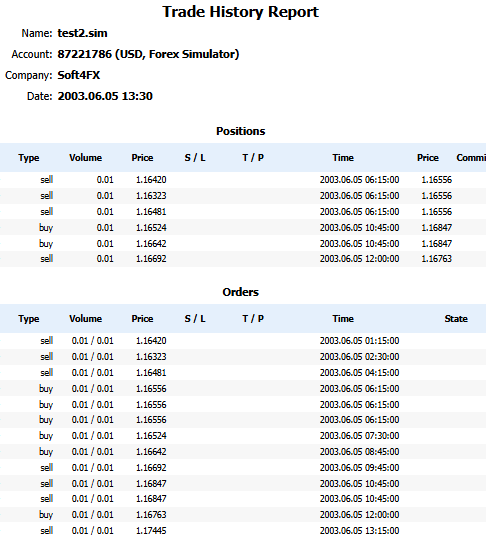
You can also export trading results to Excel or create a HTML report.
You can analyze your trading results to find weak points of your strategy.
The benefits
Why you should use it.
Trading historical data saves a lot of time compared to demo trading and other forms of paper trading.
It also allows you to adjust the speed of simulation, so you can skip less important periods of time and focus on more important ones.
Great features
Multi-currency*
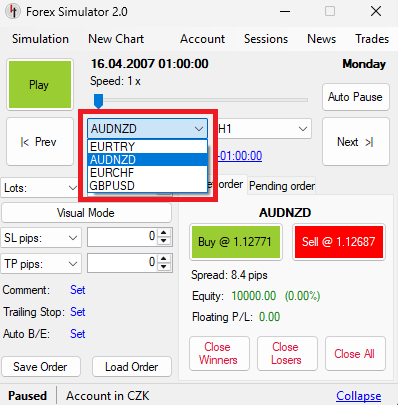
You can watch and trade several currency pairs at the same time. All charts are synchronized and updated tick-by-tick.
* Available only in MT5 version of the simulator
Great features
Rich charting.
On Metatrader 5:
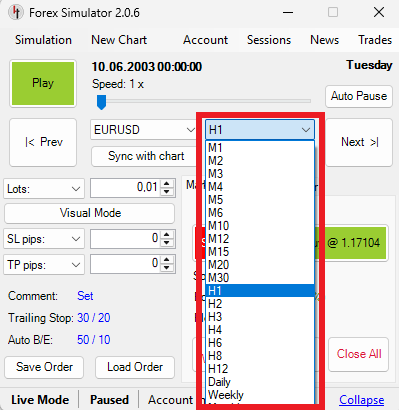
M1, M2, M3, M4, M5, M6, M10, M12, M15, M20, M30
H1, H2, H3, H4, H6, H8, H12
Daily, Weekly, Monthly
On Metatrader 4:
M1, M5, M15, M30, H1, H4, Daily, Weekly, Monthly
Custom: M2, M10, H2, H3, 2 days, ...
Seconds: 30 sec, 45 sec, ...
Renko, Range, Tick
Great features
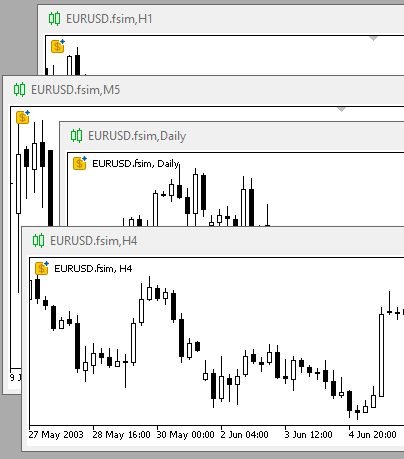
Trade on many timeframes.
You can open several charts at once and follow price action on several timeframes.
All charts are synchronized and updated tick-by-tick.
Great features
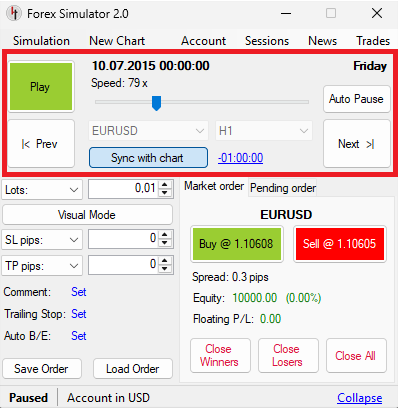
You are in control.
Pause/Resume the simulation whenever you like
Change the speed
Move forward bar-by-bar on any timeframe
Move backward on any timeframe
You can also tell the program to pause the simulation automatically on certain events:
Hitting SL or TP
Execution of pending order
Great features
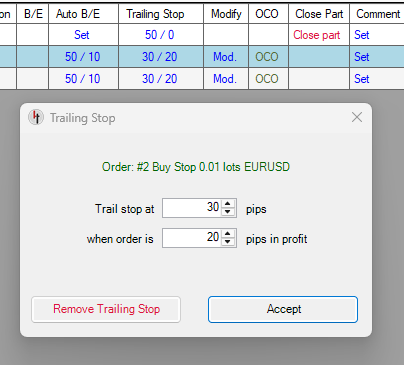
Automatic trade management.
Following automatic rules can be applied to any trade:
Stop Loss and Take Profit
Trailing stop
Automatic break-even
One-cancels-other (OCO) rule for pending orders
Moreover, you can use order templates to work faster and avoid repeating the same steps. A template can be used to save your trade management rules and load them at any time.
Good data is key
High-quality historical data.
Forex Simulator lets you download and use 10 - 20 years of tick data from Dukascopy, TrueFX and HistData, including real variable spreads.
This includes 60 Forex pairs, gold, silver, bitcoin, etherum and 12 stock indexes.



Great features
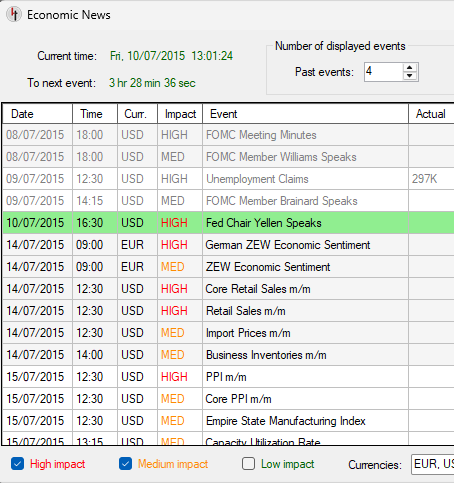
Economic Calendar.
You have access to current economic news releases at any time during the simulation. You can display them on your charts as well.
Events can be filtered by importance and currency, so you can easily find events that really affect your trading.
Source of data: Forex Factory
Data starts from 2007.
Great features
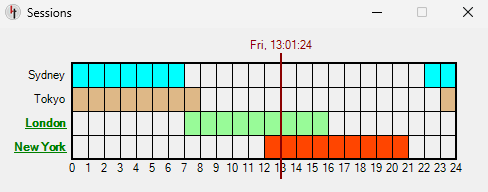
Sessions Window.
Shows opening and closing times of 4 main trading sessions:
- New York
- London
- Tokyo
- Sydney
Great features
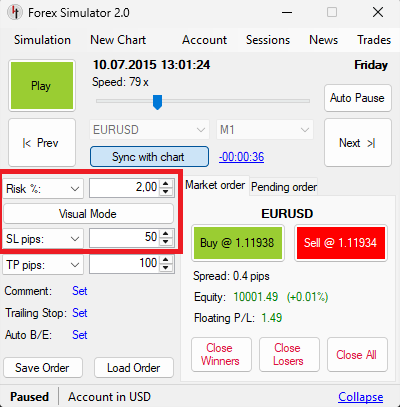
Risk-based Position Sizing.
Simulator helps you calculate the size of trade based on how much you want to risk. For example, you can set it to risk no more than 2% of your current balance or no more than $100 per trade.
Great features
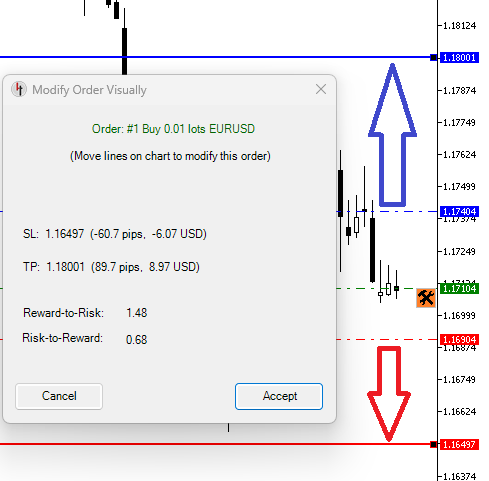
Visual Trading.
Forex Simulator lets you place pending orders, stop losses and take profits by simply dragging lines on the chart. You can also modify existing orders in this way.
Great features
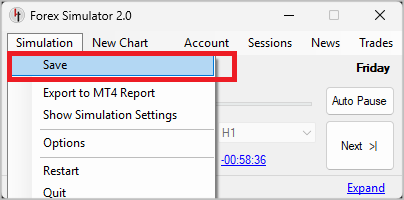
Save/Load.
Simulation can be saved to a file and loaded at a later time. All your trades, pending orders, stop losses, take profits, trailing stops and other settings will be restored.
Great features
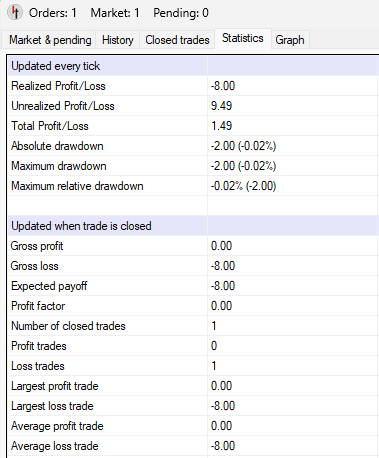
Statistics.
Simulator displays statistics similar to ones offered by Metatrader.
Great features
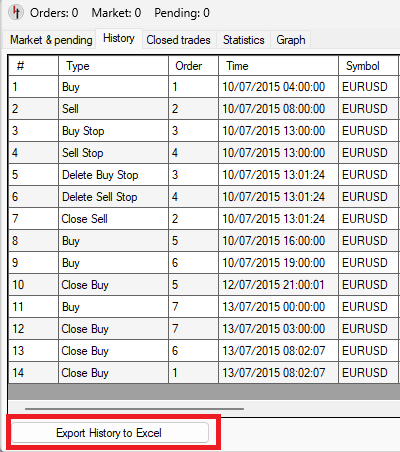
Export to Excel.
It is possible to save your trading history to Excel sheet, allowing you to study and analyse it in more depth.
Great features
Export to HTML Report.
You can save the history of your trading as HTML report. It is formatted in exactly the same way as MT4 and MT5 account statements, so it is very easy to import it to third-party tools for further analysis.